TL;DR
- PingAura AI on Zapier connects your AI visibility work to the 10,000+ apps in Zapier's directory, so marketing tasks run on their own across the tools your teams already use.
- Four triggers (New Lead, New Site Audit Issue, Visibility Run Completed, Article Published) tell your other tools when something happens in PingAura.
- Four actions (Create Prompt, Run Site Audit, Add Competitor, Get Visibility Score) let your other tools ask PingAura to do something.
- Enterprise teams use it to route AI-sourced leads into the CRM, open tickets for critical site issues, post a weekly AI AuraScore to Slack or Sheets, manage competitor and prompt lists in Zapier Tables, and run monthly audits on a schedule.
- It connects with OAuth, with no API key to copy. Read-only access is enough for every trigger and for Get Visibility Score, and a lead's contact details are only included for workspace owners on a plan with Enterprise Reporting.
- The app is invite-only for now while it goes through review for Zapier's public app directory.
Introduction
Most enterprise marketing teams do not have a tooling problem. They have a hand-off problem. The data that says something changed sits in one tool, and the people who need to act on it work in five others. Someone has to notice, copy, paste and chase.
That gap matters more now that a growing share of discovery happens inside AI answers. Google says AI Overviews has over 2 billion monthly users across more than 200 countries and territories (Alphabet, Q2 2025). Pew Research found that Google users who saw an AI summary clicked a traditional result in 8% of visits, against 15% when there was no summary (Pew Research Center, July 2025). If fewer people click through, being named in the answer itself becomes the thing to measure, and the signals that come out of that measurement need to reach the right team quickly.
This is what we mean by Agentic Marketing: marketing work that runs itself across the tools an enterprise already uses. PingAura measures how your brand shows up in ChatGPT, Perplexity, Gemini, Google AI Overviews and other AI engines. Zapier moves those results, and the requests that act on them, between PingAura and the rest of your stack. Below are the workflows enterprise teams set up first, and the controls that make them safe to run.
1. Why enterprises run this through Zapier
Zapier lists more than 10,000 apps in its directory (Zapier app directory), which means the CRM, ticketing tool, chat app and spreadsheet your teams already use are almost certainly on it. For a large marketing organisation that is the point: nobody has to adopt a new tool for the PingAura data to reach them.
The other reason is governance. Zapier's enterprise plan includes SSO and SCIM provisioning, app access controls that let admins allow or block apps across the workspace, action restrictions per app, an audit trail, log streaming to Datadog or Splunk, and SOC 2 Type II, SOC 3, GDPR and CCPA compliance (Zapier Enterprise). IT can approve PingAura as an app once and keep control of who builds what with it.
PingAura's side of the connection follows the same thinking. Each trigger and action only works with the features your PingAura plan includes, and stops if the plan expires or an invoice stays unpaid. So a Zap cannot quietly reach data or quota your contract does not cover.
2. Route AI-sourced leads into your CRM
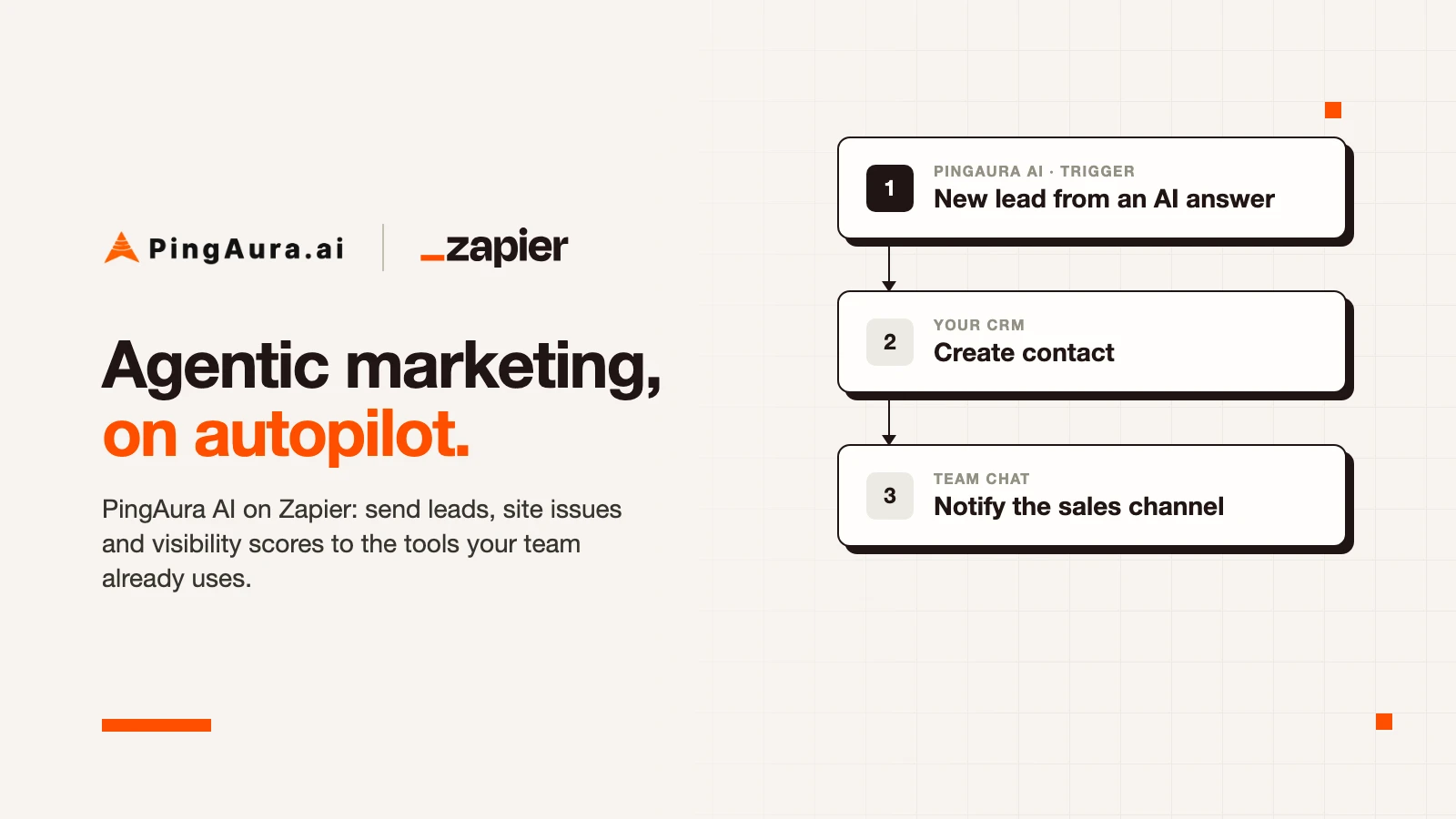
When one of your lead pages captures a new lead from an AI-sourced visit, the New Lead trigger fires. Each lead carries its AI source, the lead page path and a lead score. Enterprise teams usually send it to two places:
- The CRM, as a new contact or lead in Salesforce or HubSpot, tagged with the AI engine that sent the visit. Sales sees which leads came from AI search without anyone exporting a CSV.
- A sales or marketing Slack channel, with the AI source, page and score only, so the team knows a lead arrived.
Keep contact details out of shared channels. A lead's name, email, phone and message are personal data. If a Zap includes them, send it to the CRM, a private channel or a direct message, not a channel the whole company can read.
Two operational notes. Zapier checks for new leads on a schedule set by your Zapier plan, so a lead can arrive a few minutes after it was captured. And each check looks at leads from the last hour, so if a Zap is turned off for longer than that, the leads from that gap are not sent when it is turned back on. They are still in your PingAura lead inbox. New Lead needs Lead Pages on your plan.
3. Turn critical site issues into Jira or Linear tickets
PingAura's site audits check your pages for the technical and content problems that stop AI engines from reading and citing them. The New Site Audit Issue trigger fires when a completed audit finds an issue at or above a minimum severity you choose.
Set the minimum to high or critical, and route each issue to the team that fixes it:
- A Jira or Linear ticket in the web team's backlog, with the page and issue in the title.
- An Asana task, if content owns the fix.
- A Slack DM to whoever owns the site, which is one of the ready-made Zaps.
One thing to plan for: a page that is audited again reports its open issues again. Add a Zapier filter or a lookup step that checks for an existing ticket before creating a new one, so the backlog does not fill with duplicates.
4. Report the weekly AuraScore to Slack or Sheets
Leadership wants one number on a schedule, not a dashboard login. Two patterns work well.
After every run. The Visibility Run Completed trigger fires when a visibility run finishes, with the AI AuraScore, Share of Voice and Mention Rate it measured. Post them to a Slack channel, or add a row to a Google Sheet that feeds your weekly deck.
On a fixed day. Use Zapier's schedule as the trigger and PingAura's Get Visibility Score action to fetch a domain's latest score, for the latest run or for the last 7, 15 or 30 days. Send it to Slack, email or a reporting sheet every Monday morning. If no visibility run has finished yet, the action returns Found as false, so add a filter step to skip the message rather than post an empty score.
A Google Sheet built this way gives you a running history of your AI visibility next to the rest of your marketing metrics, without a manual export. For a fuller picture of what to track, see our enterprise AEO setup checklist.
5. Manage competitor and prompt lists in Zapier Tables
In a large organisation, the people who know which competitors and questions matter are spread across regions, product lines and agencies. Giving all of them PingAura access is not always practical. Zapier Tables gives them one shared list instead.
- Competitors from a table. A new row in a table of competitor domains runs Add Competitor, and PingAura starts tracking it.
- Prompts from a table. A new row with a prompt and a topic runs Create Prompt. The topic is required, and PingAura creates it if it does not exist yet.
The same pattern works from a form, a Google Sheet or an Airtable base. Regional teams add the questions their customers ask, and the tracking set grows without a central bottleneck. Both actions change data, so the connection needs Modify your data ticked on the PingAura consent screen.
6. Run monthly site audits on a schedule
Audits are easy to forget until a migration or a CMS update breaks something. The ready-made Monthly site audit Zap uses a monthly schedule to run Run Site Audit on your domain, so your pages are checked without anyone remembering to.
Each run audits up to 50 of the domain's tracked pages, and each page uses one unit of your site audit quota, so size the schedule to your plan. Pair it with the critical-issues Zap from section 3 and the loop closes on its own: the audit runs, critical issues become tickets, and the right team picks them up.
Some teams also run an audit when a page is published in their CMS, which catches problems on new content the same day.
7. Governance: OAuth, scopes and who sees contact details
Automation is only useful at enterprise scale if security and legal teams are comfortable with it. These are the controls on PingAura's side.
- OAuth, not API keys. You connect by signing in to PingAura from Zapier, picking the workspace and approving the consent screen. There is no key to copy, paste or leak in a shared document.
- Read-only where possible. Read-only access is enough for all four triggers and for Get Visibility Score. Leave Modify your data ticked only for connections whose Zaps create prompts, run audits or add competitors.
- Contact details for owners only. A lead's name, email, phone and message are included only for workspace owners on a plan with Enterprise Reporting, the same rule as the leads export. Everyone else gets each lead with those fields empty.
- Plan-aware. Each trigger and action works with the features your plan includes, and stops if the plan expires or an invoice stays unpaid.
- Easy to revoke. Removing the PingAura AI connection in Zapier's Apps page stops every Zap that uses it. Your data in PingAura is not affected.
Combined with Zapier's own SSO, app access controls and audit trail, this gives security teams a clear answer to who connected what, with which permissions. For the same data inside AI assistants and IDEs, see the PingAura MCP server.
FAQs
What is Agentic Marketing?
Agentic Marketing is marketing work that runs itself across the tools a team already uses. Instead of someone checking a dashboard and passing results along, events in PingAura start the next step automatically: a lead goes to the CRM, an issue becomes a ticket, a score lands in the weekly report. We wrote more about the shift in is marketing becoming self-driven.
Which PingAura triggers and actions are available on Zapier?
There are four triggers: New Lead, New Site Audit Issue, Visibility Run Completed and Article Published. There are four actions: Create Prompt, Run Site Audit, Add Competitor and Get Visibility Score.
Can anyone at my company see lead contact details through Zapier?
No. A lead's name, email, phone and message are included only when the connection belongs to a workspace owner on a plan with Enterprise Reporting. Everyone else receives the lead with those fields empty. Even then, send contact details to your CRM or a private channel, not a shared one.
Do I need an API key to connect PingAura to Zapier?
No. The connection uses OAuth. You sign in to PingAura from Zapier, choose the workspace, and approve. Read-only access covers the triggers and Get Visibility Score.
How quickly do triggers fire?
Zapier checks for new items on a schedule that depends on your Zapier plan, so a trigger can fire a few minutes after the event happens in PingAura.
Is the PingAura app public on Zapier?
It is invite-only for now while it goes through review for Zapier's public app directory. Email support@pingaura.ai for an invite.
Conclusion
AI engines are now a front door for discovery, and the data about how your brand shows up there is only useful if it reaches the people who can act on it. PingAura on Zapier closes that gap without asking anyone to learn a new tool. Leads go to sales, issues go to the web team, scores go to leadership, and the lists that drive tracking stay in the hands of the people who know the market.
Start with one or two of the ready-made Zaps, keep connections read-only unless they need to write, and keep contact details out of shared channels. The rest of the work runs itself.
Ready to put your AI visibility on autopilot?
If you want to see how your brand shows up inside AI answers and have that work flow into the tools your teams already use, explore PingAura.ai. PingAura tracks, optimises and reports your presence across ChatGPT, Perplexity, Gemini and Google AI Overviews, and with Zapier it connects that work to the rest of your stack. Sign up at pingaura.ai and ask us for a Zapier invite.